
 English
 Bengali
GB44 Verification Identity Check for Bangladesh Players
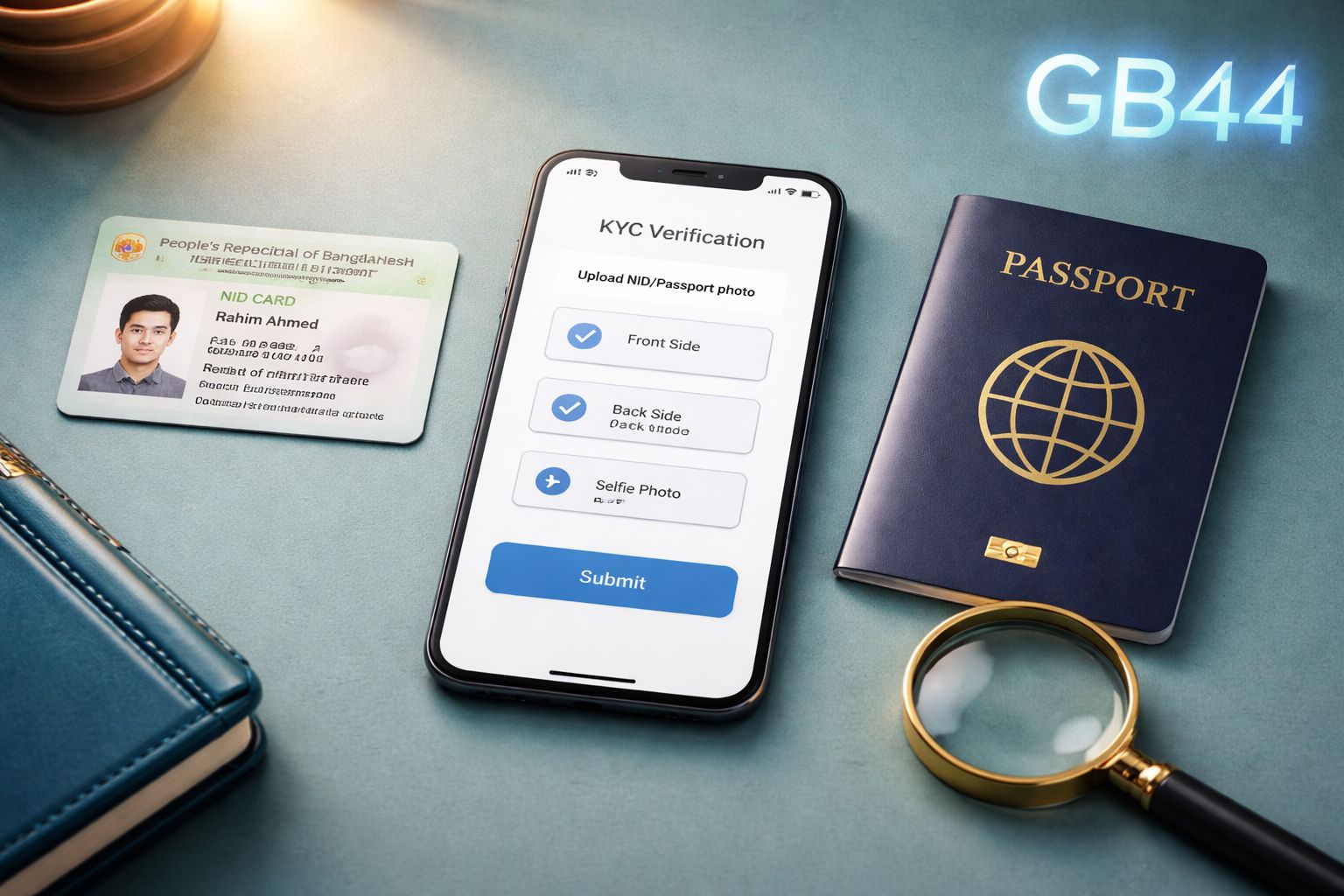
At GB44, identity verification typically completes within 24 hours once your files land in our review queue. You'll need one valid government ID (NID, passport, or driving licence) plus a live selfie holding that same document beside your face.
That's the short version. Roughly nine out of ten Bangladesh players clear KYC on their first attempt. The rest usually stumble on the same handful of issues — the name on their bKash doesn't match the ID, photos are too dark or cropped, the document has expired, or the selfie hides critical text fields.
Read this page carefully before uploading. Doing it right the first time saves you a full day of waiting and prevents withdrawal headaches later. For account access, head to login, and for full platform details visit our about page.
Three components, submitted in one go
1. Personal profile details
Complete these fields inside Account → Verification on GB44:
- • Display name — the handle shown in tournaments and chat rooms
- • Email address — identical to the one used during signup
- • Legal full name — written precisely as it appears on your ID. This must also match the name registered on your bKash, Nagad, or Rocket wallet. A mismatch here doesn't just fail KYC — it will block every payout attempt down the line.
- • Phone number — the same mobile used at registration
- • Document category — pick NID, passport, or driving licence
- • Document number — the ID reference printed on the chosen document
2. ID document scan or photo
Upload a sharp image of the ID you selected above:
| Type of ID | What to capture |
|---|---|
| Bangladesh NID card | Both sides — front showing photograph and personal details, back showing address block and barcode |
| Passport | The main biodata page containing your photo |
| Driving Licence | Front and back if information appears on both sides |
Technical requirements:
- ✓ Accepted formats: JPG, PNG, or PDF
- ✓ File size capped at 5 MB per document
- ✓ Every corner of the card visible in frame
- ✓ No reflections washing out printed text
- ✓ Sharp enough to read at 100% zoom
- ✓ Card placed flat — not tilted or curved
3. Selfie with document
A live picture of you holding the same ID next to your face.
- 📸 Your face — sharp, well-lit, centred
- 📸 The ID card — held beside your cheek, in focus
- 📸 ID name, photo, and number — legible in the shot
This selfie step blocks anyone attempting to verify using a stolen or borrowed ID. The face in the selfie must clearly match the portrait printed on the document. Once cleared, you can explore <a href="/casino/">casino</a> tables, <a href="/slots/">slots</a>, and <a href="/games/">games</a> without restrictions.
The five rejection patterns we flag most often
Name typed in the form differs from the name on the ID
Always copy the exact spelling and order printed on your official document.
Many Bangladeshi NIDs list names in "Given Name + Family Name" or sometimes reversed formats. Follow the order shown on your card. Skipping a middle name or dropping an initial will trigger an automatic reject.
If the name you use socially differs from what's on your ID, always follow the ID. Our system cross-checks the chain: profile form → uploaded ID → mobile wallet → bank rail. If any link breaks, verification stops or your first withdrawal fails. Questions? Reach the team via contact.
The ID document has passed its expiry date
Expired NIDs, passports, and driving licences are auto-declined by our compliance module.
Renew the document first, then upload. If your renewal is in progress and you're holding a government-issued acknowledgement slip, message support before uploading — in select cases we accept the expired card plus the official renewal receipt during the interim period.
Selfie fails to clearly display ID details
This is by far the top rejection trigger. The details on your ID (photo, name, and number) must be readable in the selfie itself, not merely present in the frame.
Frequent errors we see:
- ID held too far from the lens, making the print unreadable
- Ceiling light reflection creating glare across the card
- Fingers or thumbs covering the name, photo, or number field
- Photo taken in dim indoor lighting with heavy shadows
- Camera auto-focusing on the face while the card blurs
Selfie best practice: use natural window light, hold the ID flat against your upper chest at chin height, ensure both your face and the printed details are in focus, and keep every finger away from information fields.
Mobile wallet holder name doesn't align with KYC
Your bKash, Nagad, or Rocket account must be registered under the same legal name as your verified GB44 profile.
A wallet in the name of "Sabbir Hossain" cannot receive payouts from an account verified as "Mohammad Hossain". Even a single letter difference or missing surname will block the transfer.
Solution: re-register your wallet under your legal ID name, or if you have a legitimate name change (marriage certificate, legal deed poll), contact our compliance team with the supporting paperwork. Check the FAQ for detailed wallet-matching guidance.
Residential address on proof doesn't match registered address
For higher-tier withdrawals or enhanced due diligence, we may request address proof — a utility bill, mobile phone bill, or bank statement dated within the last 90 days. The address printed on this document must match what you entered during signup.
Solution: if you've moved, update your registered address inside the profile settings before uploading the proof. Alternatively, submit a document reflecting the address currently on file. For deeper verification questions, our official channels can confirm the correct process.
The real journey your paperwork takes after you hit submit
Documents arrive on our end
Every piece — the completed form, government ID scan, and holding-ID selfie — flows through the secure verification portal. Send all three together in one batch. Split submissions sit in a queue because the reviewer can't finalize anything until every piece lands on the desk.
First-pass screening (within several hours)
A GB44 reviewer opens your file and runs the essentials:
- Are the scans sharp and text-legible?
- Does the name on the form align with what appears on the ID?
- Is your face fully visible next to the ID in the selfie?
Deep verification (up to 24 hours from upload)
A senior compliance officer runs your identity against fraud registers and confirms document authenticity.
This stage occupies most of the waiting window. It's not something we can compress — real database queries and human judgment take actual time.
Green light delivered
You receive an email confirming approval. Your account dashboard updates to "verified" status, and cashout functionality unlocks up to the standard cap.
New capabilities that unlock the moment you're verified
Once your KYC status flips to approved:
There's no annual re-verification cycle. Complete it once, and the process is behind you for good.
A straightforward look at why this process exists
Verification isn't a bureaucratic hoop. Four concrete objectives sit behind it:
Anti-money-laundering (AML) obligations
Every licensed operator worldwide — Malta, UK, Curaçao, PAGCOR jurisdictions — mandates ID verification before payouts. This isn't a GB44 quirk; it's the baseline for regulated gambling everywhere.
The rules exist to block bad actors from using casino platforms as a laundering pipeline for illicit funds.
Fraud prevention that protects your balance
Compromised accounts are the leading fraud pattern in online gaming. Passwords leak through phishing scams, database breaches, or reused credentials, and criminals attempt to sweep balances into their own wallets.
KYC ties every withdrawal endpoint back to a verified identity. Even if someone accessed your login, they couldn't reroute the funds — they'd need your physical documents too.
Blocking underage participation
PAGCOR standards and Bangladeshi social norms forbid anyone below 18 from gambling. The date of birth on your ID confirms you're of legal age.
If a minor slips through, the account is closed immediately and every deposited taka is returned to the original funding source.
One-person-one-account enforcement
KYC lets us catch duplicate signups tied to the same person — a practice our Terms of Service explicitly forbid to keep bonus systems and bet markets fair for everyone.
Answers to the questions verification actually raises
The 24-hour promise is the upper limit. Actual speed depends on document sharpness and queue volume at the time you submit. For extra questions, our FAQ covers more scenarios.
Sign up, deposit, and begin playing straight away through the app. Simply wrap up KYC before you're ready to cash out any winnings.
Any one of the three accepted documents works fine. If none of these are available to you, reach out via our contact channel — a handful of alternative documents can be accepted case by case.
We only release documents to regulators through formal requests. They aren't sold, and only reviewers with a legitimate need can view them during the KYC process.
Smartphone cameras struggle with fine print in dim conditions. Move near a window or use bright indoor lighting. Tap the screen to lock focus on the ID text before pressing capture. Learn more about our security standards if you're curious.

